ABS Studio · guide
Using ABS Studio
Everything here is a real capture of the editor doing the thing being described. Where the panel was empty, it is empty in the picture; where ABS refused to do something, the refusal is in the picture too. If you have not installed it yet, start with the install guide.
01
Give it a provider key
ABS routes to free tiers first, so the cheapest way to start is a free-tier key from Groq, Cerebras or Gemini. Open the Command Palette and run ABS: Add a provider key, pick the provider, and paste the key.
The key is checked with the provider before it is stored. If it is wrong you are told immediately rather than discovering it later as a failed request — and the panel will say stored, but not verified rather than green-lighting a key nobody has seen work.
The title bar is the readout: how many providers are ready, how many models they expose, and what today has cost.

02
Ask about the code in front of you
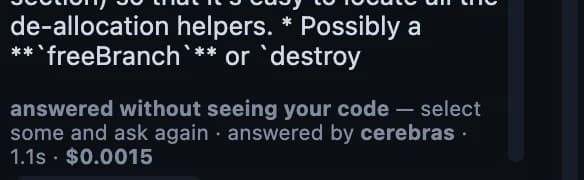
The Chat section answers questions about what you have open. Every answer is signed: which provider replied, how long it took, and what it cost.
Select the code you are asking about. ABS never uploads a whole file quietly — you should always know what you just sent — so with nothing selected the model gets your question and a filename, and it will answer anyway. When that happens the answer says so, because a confident answer written without seeing your code is the most expensive kind of wrong.
03
Ask for a change, and read the grade
Describe what you want in the Composer box. What comes back is not a diff to accept on faith: a senior judge scores it, a code graph works out the blast radius, and the patch engine tries it against the file as it is on disk.
Those are independent checks and they can disagree. A proposal can score well and still be refused — that is the design working, not a fault. A good score is not permission.
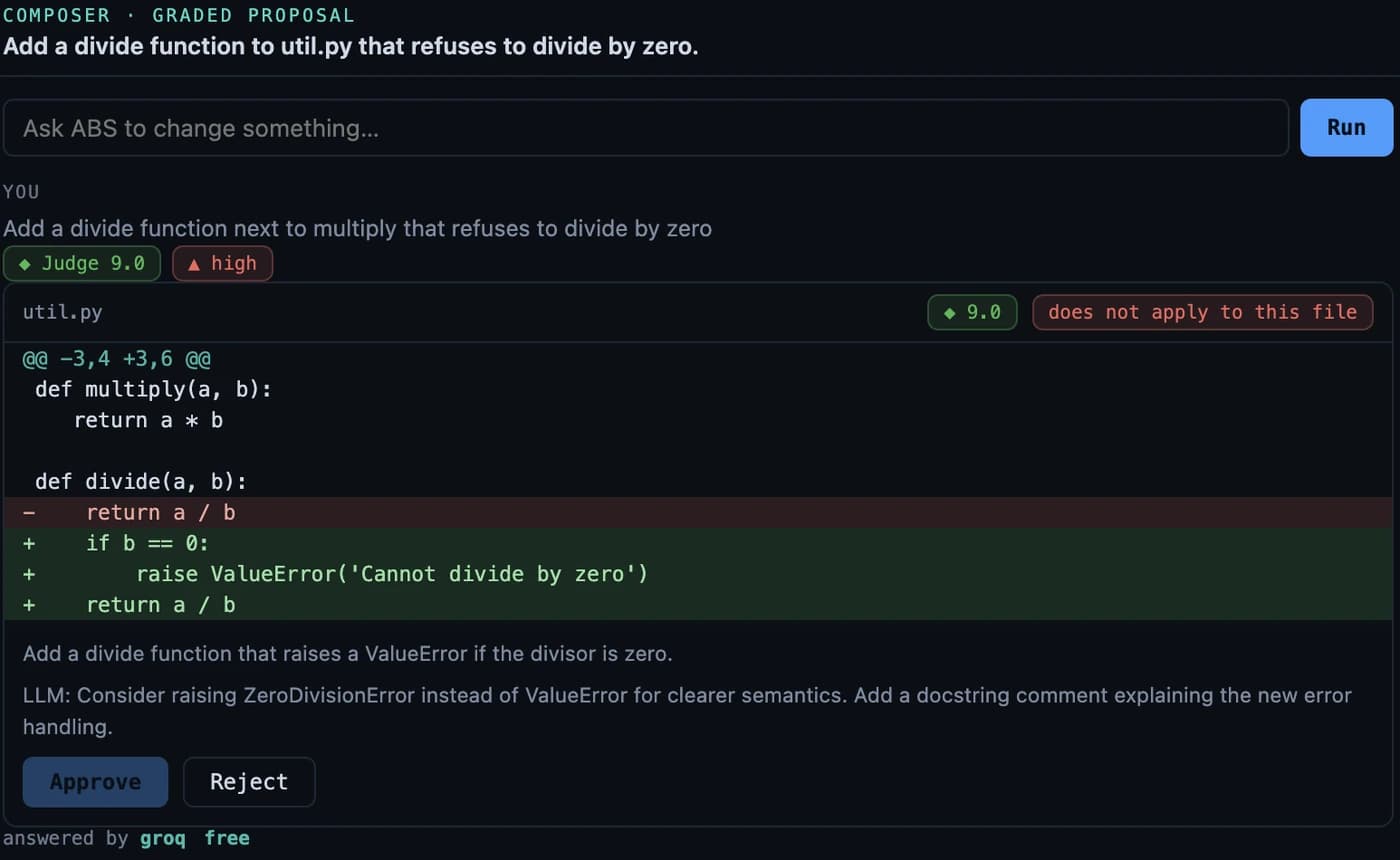
Read the note before the diff. It is where the judge says what it would have done differently, which is usually worth more than the score.
04
Prove it before you commit
Review my changes grades everything in your working tree — your edits as well as ABS's — a score per file, what each one touches, and why.
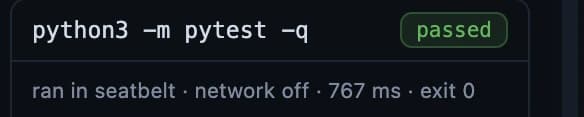
Run checks finds your test command and runs it inside the OS's own sandbox: seatbelt on macOS, bubblewrap on Linux, a restricted token on Windows. If no sandbox is available ABS says so and does not pretend. No checks ran is never reported as checks passed.
05
Commit with evidence, push on purpose
A commit contains only the files ABS wrote and git agrees have changed. It is never a blanket git add -A that sweeps up whatever else you had in progress.
The message says what was graded, what ran, and what did not. If no checks ran it says that; if they failed and you committed anyway it says that too.
Pushing always asks. And if you are standing on a shared branch — main, master, develop, release, production, stable — the change is moved to a branch of its own and your branch is left exactly where it was. Add your own protected names with the abs.protectedBranches setting; it can add to the list but never remove from it.
ABS only moves a commit it can prove is its own. If you committed something yourself after it did, it refuses and tells you why rather than rearranging history it does not understand.
06
Teach it your codebase
Index this workspace in the Context section builds a local knowledge base — embeddings stay on your machine, in your own vector store. Then search it, and you get the chunks themselves with their scores, not a summary of them.
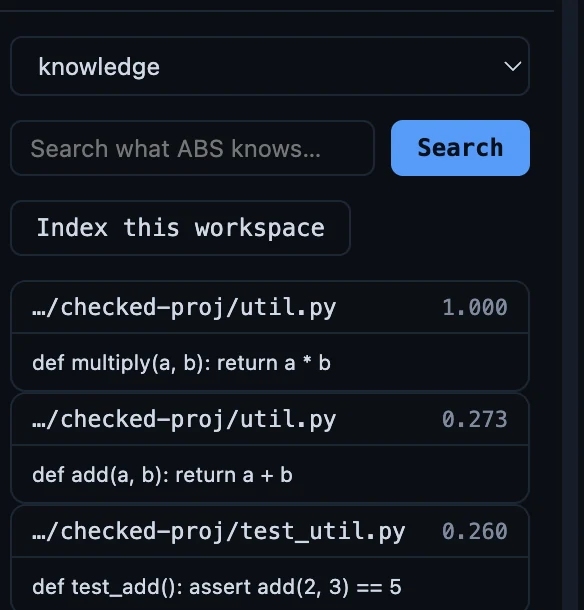
An empty result says it is empty rather than pretending to be an error, and an unreachable index says that instead of quietly returning nothing.
07
Watch what it costs
The Engine section shows today's spend and the projection for the month, above the routing order — which providers will be tried, and in which sequence. Activity shows the other half: what actually ran, and how the work has been scoring lately.
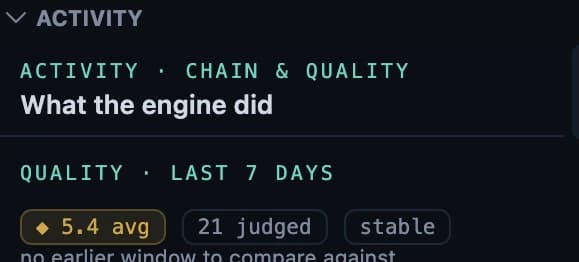
The two are deliberately named apart: routing order is what will be tried, delegation chain is what actually happened.
08
The work beside the code
Approvals waiting on you, meetings the server transcribed, tasks, notes and saved workflows — the things that usually live in another tab, kept next to the file you are editing.
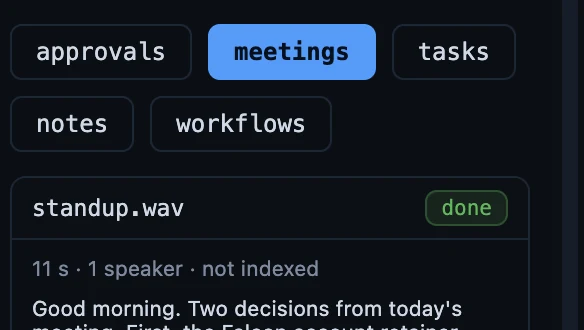
Each tab tells you plainly when it has nothing: nothing is waiting on you rather than an empty box you have to interpret.
If something does not work
The install guide has a section for it — the panel not loading, the editor not reaching the server, a provider that looks configured but does nothing, a licence key that is refused. Anything it does not cover: info@automatiabcn.com.